
Two weeks ago I introduced my unofficial TypeSafe .NET SDK and used it to ask Jev several typed questions about a support ticket. My C# application controlled the workflow; Jev returned structured answers for the judgments it needed.
This week I wanted to ask those same questions from any AI coding agent. I built TypeSafe.Mcp, a separate .NET 11 application that uses the SDK under the hood. It exposes five tools over stdio, and any MCP client can now interact with Jev through these tools.
How the MCP server works
The server uses the .NET ModelContextProtocol package and registers its tools with WithStdioServerTransport. Three of them correspond to the decision types from the SDK post:
typesafe_noulasks a yes-or-no question. Its answer is the probability that the statement is true, between 0 and 1. You can provide criteria for what counts as true and false.typesafe_choiceselects a label from a map of labels to descriptions. It returns the selected label, confidence, and probabilities for the choices.typesafe_scoreevaluates an ordered list of at least two levels. It returns a score that can be fractional, confidence, probabilities, and a legend mapping positions back to levels.
typesafe_evaluate asks several named questions of these types against the same state. typesafe_list_models returns the available models with their descriptions and release dates.
The MCP interface keeps the input simple: instructions, criteria, and level descriptions are strings. The direct SDK also accepts JSON-shaped instructions and criteria. For state, the server accepts a string. If that string contains a valid JSON object or array, the server passes it to the SDK as structured state; otherwise it passes text. A JSON scalar such as 42 remains text, as does malformed JSON.
One ticket, three questions
Suppose a support ticket says checkout returns HTTP 500 and payments fail for every customer. An agent interacting with the MCP server can send this argument object to typesafe_evaluate in my MCP client:
{
  "state": "{\"ticket\":{\"subject\":\"Checkout returns HTTP 500\",\"body\":\"Payment fails for every customer.\"}}",
  "questions": {
    "is_bug": {
      "type": "noul",
      "instructions": "Does this ticket report a product defect?",
      "trueCriteria": "The ticket describes broken or incorrect product behavior.",
      "falseCriteria": "The ticket is a question or request rather than a defect report."
    },
    "team": {
      "type": "choice",
      "instructions": "Which team should investigate this ticket?",
      "choices": {
        "billing": "Payment and billing behavior.",
        "platform": "Website availability and server errors."
      }
    },
    "urgency": {
      "type": "score",
      "instructions": "How urgently should this ticket be investigated?",
      "levels": ["low", "medium", "high"]
    }
  }
}
These are MCP tool arguments, not a message to paste into the server’s standard input. The escaped state is a string in the tool call, but its contents are a JSON object, so the server passes the ticket as structured state.
You can copy it in the MCP Inspector to call the MCP server for testing
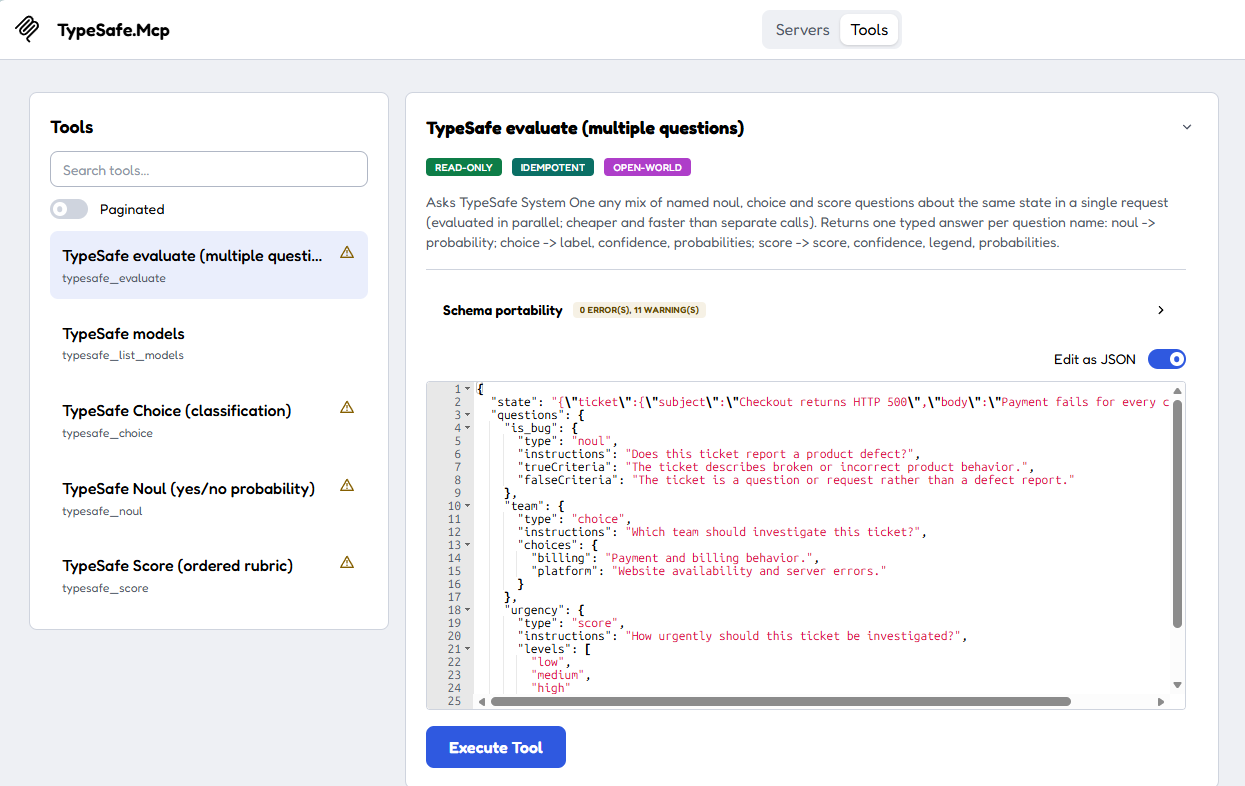
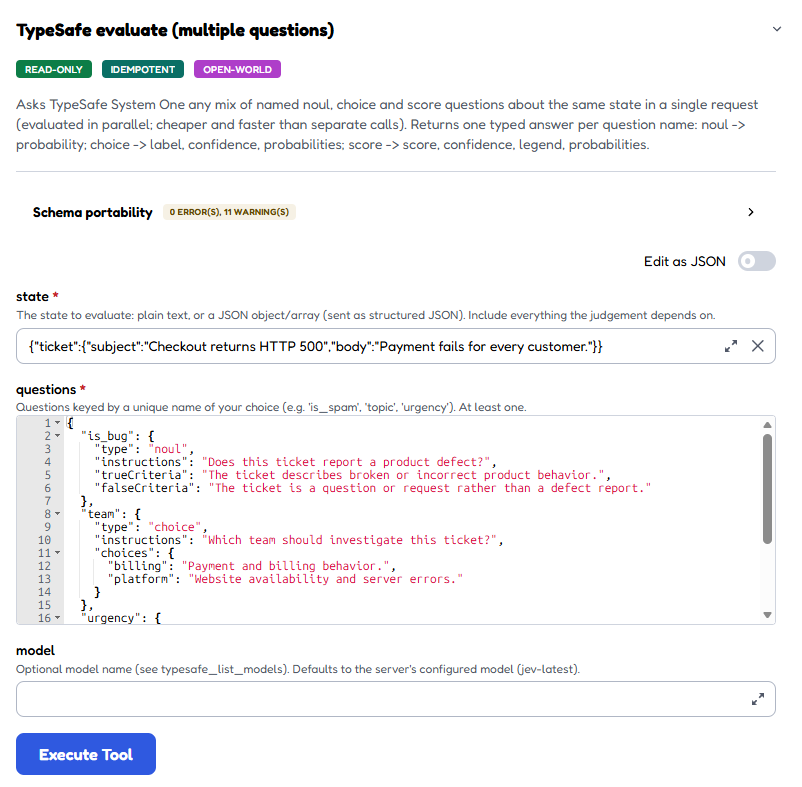
and see the response
{
  "model": "jev-1.13.0",
  "answers": {
    "is_bug": {
      "type": "noul",
      "noul": 0.94
    },
    "team": {
      "type": "choice",
      "choice": "platform",
      "confidence": 0.09,
      "probabilities": {
        "billing": 0.45,
        "platform": 0.55
      }
    },
    "urgency": {
      "type": "score",
      "score": 2,
      "confidence": 1,
      "probabilities": {
        "0": 0,
        "1": 0,
        "2": 1
      },
      "legend": {
        "0": "low",
        "1": "medium",
        "2": "high"
      }
    }
  },
  "usage": {
    "inputTokens": 440,
    "outputTokens": 63
  }
}
I made the questions different on purpose. Whether a ticket reports a bug is binary; team ownership is a choice between categories; urgency has an order. The response keeps the answers under the names is_bug, team, and urgency, together with the model used and token usage. For example, I can read answers.is_bug.noul, answers.team.choice, and answers.urgency.score. The Choice answer also has confidence and a probability for each label; the Score answer has a legend so a fractional value remains interpretable.
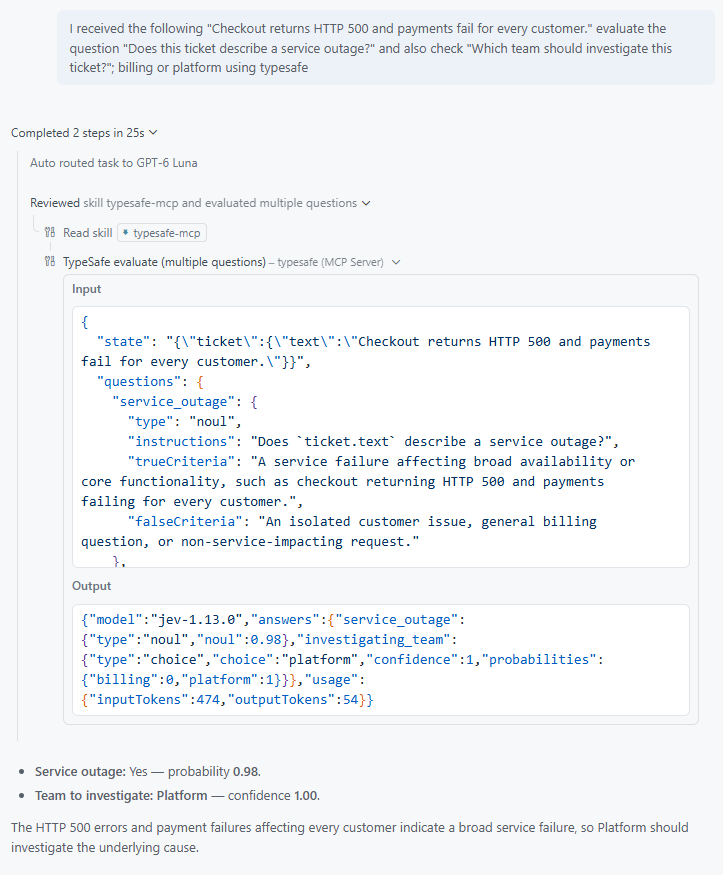
A single question works too. To check whether the ticket describes an outage, I or an agent can call typesafe_noul with:
{
  "state": "Checkout returns HTTP 500 and payments fail for every customer.",
  "instructions": "Does this ticket describe a service outage?",
  "trueCriteria": "Customers cannot complete payments.",
  "falseCriteria": "Payments are working and the ticket is a general question."
}
The answer is a probability, not a yes/no string.
{
  "model": "jev-1.13.0",
  "answers": {
    "result": {
      "type": "noul",
      "noul": 0.97
    }
  },
  "usage": {
    "inputTokens": 320,
    "outputTokens": 20
  }
}
I would not route a ticket solely because a choice won or a score was high: the application still needs its own rules for review and escalation. In particular, Choice confidence is a separate field, not another name for the winning label’s probability.
Run the .NET MCP server
The server is a .NET 11 tool. From the SDK repository root, I can pack it locally and install it as a global tool with the .NET 11 SDK:
dotnet pack .\src\TypeSafe.Mcp\TypeSafe.Mcp.csproj -c Release -o .\nupkg
dotnet tool install -g TypeSafe.Mcp --add-source .\nupkg
[System.Environment]::SetEnvironmentVariable("TYPESAFE_API_KEY", "your-actual-api-key", "Machine")
npx @modelcontextprotocol/inspector -e TYPESAFE_API_KEY=$env:TYPESAFE_API_KEY -- typesafe-mcp
This installs the locally packed package; it does not assume a public NuGet release. The tool needs a .NET 11 runtime when it runs. I set TYPESAFE_API_KEY before starting the MCP client so the server process inherits it. The server can start without a key, but calls to the TypeSafe API fail until one is configured.
Add a .mcp.json file in your project root for VS Code or .junie/mcp/mcp.json for JetBrains IDEs, like this:
{
    "typesafe": {
      "type": "stdio",
      "command": "typesafe-mcp"
    }
}
Take care of the encoding of .junie/mcp/mcp.json to ensure it is UTF-8 without BOM or it won’t be read correctly by Rider.
Then try it with VS Code
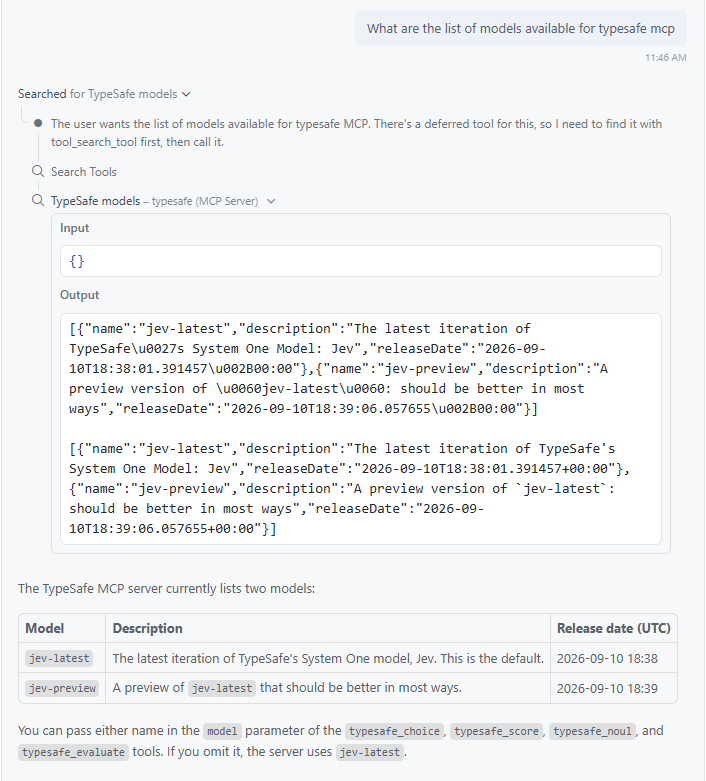
Now asking a simple question:
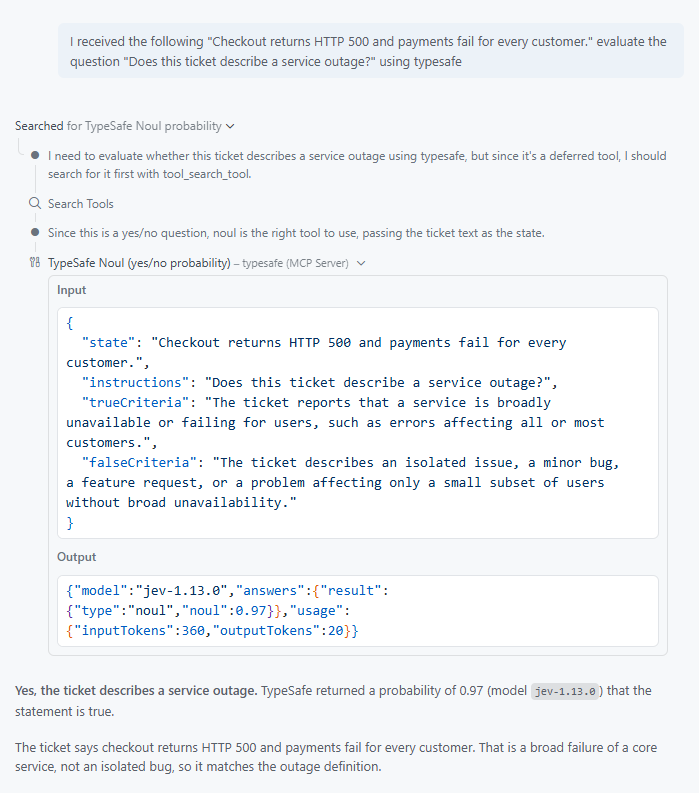
Finally, a more complex question:
Or from the new JetBrains Air in Rider with the Junie agent:
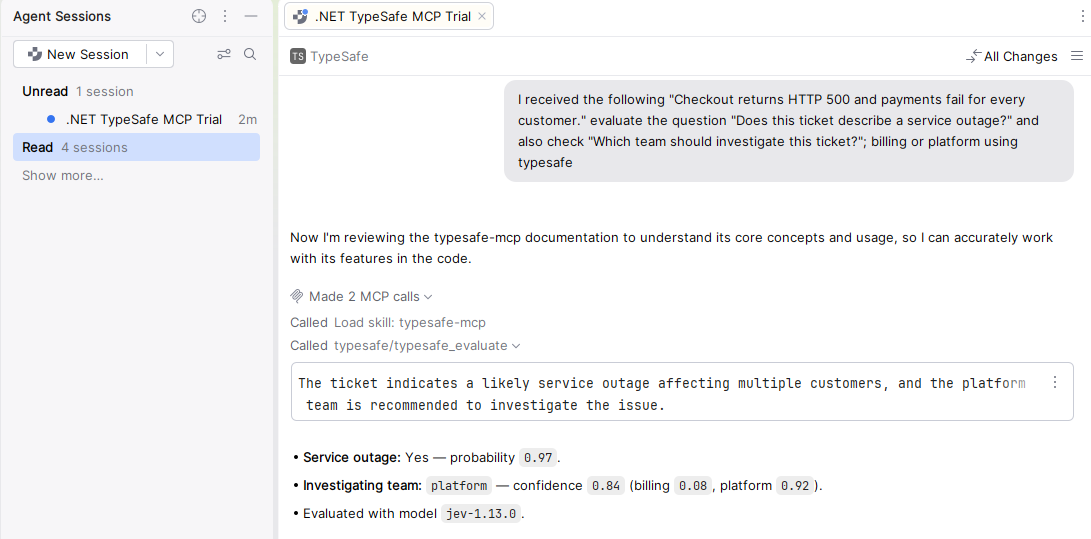
Nice 🤩!
Behind each evaluation tool, the server sends the typed questions through the SDK to POST /v1/systemone. typesafe_list_models calls GET /v1/models. An evaluation response includes model, answers, and usage with inputTokens and outputTokens. Standard output is reserved for MCP messages, so the server sends logs to standard error. If a call fails, the error is surfaced to the client rather than returned as a decision; API errors may include a request ID to help investigate.
Skills
To improve the usage of the MCP server, it is important to understand how to structure questions and handle responses effectively. This includes defining clear question formats, managing model selection, and properly interpreting the answers returned by the server.
---
name: typesafe-mcp
license: MIT
description: >
  Get fast, typed AI judgments directly from the TypeSafe MCP server
  (typesafe-mcp): yes/no probabilities (typesafe_noul), classification
  (typesafe_choice), ordered rubric scores (typesafe_score), several questions
  over the same state in one call (typesafe_evaluate), and available models
  (typesafe_list_models). Use when an agent has to judge text or JSON (triage,
  routing, spam/toxicity checks, sentiment, urgency, relevance, claim
  verification, or ranking candidates) and a calibrated probability is more
  useful than a free-text opinion. Also use to prototype TypeSafe questions
  interactively before coding them against the TypeSafe .NET SDK, and to
  install or configure the server in an MCP client.
---

# Use the TypeSafe MCP server

`typesafe-mcp` is an unofficial stdio [MCP](https://modelcontextprotocol.io) server. It puts
[TypeSafe AI](https://docs.typesafe.ai/introduction) **System One** models (by default **Jev**,
`jev-latest`) behind MCP tools. A System One model does not write text. It reads a **state** and
one or more **questions**, then returns **typed answers with probabilities**. Treat each tool call
as a programmable piece of common sense: you (the agent) own the workflow, and the model returns
a focused judgment.
...
The rest of the skill is available in the GitHub repository linked below.
Compared with the other week’s C# example, the change is how I reach the decision. I can now ask the questions from an MCP client, while my application still decides what to do with the answers. And so can my agents.
Do you think that your agents can also benefit from this setup?
You can get all the code on GitHub
